

Most meetings leave behind exactly one thing that lasts: the minutes. The slides get buried, people remember the conversation differently, and three weeks later someone asks, “Did we actually agree to that?” Good minutes answer that question in ten seconds. Bad minutes, or none at all, turn it into another meeting.
This guide covers what a meeting minutes template should capture, how to take minutes without turning into a stenographer, and how board minutes differ from the notes you’d keep for a weekly team sync. At the end you’ll find five free templates: two Word documents, two Excel trackers and a printable PDF, each built for a different kind of meeting.
What meeting minutes are for (and what they are not)
Minutes are a summary record of what a group decided and who agreed to do what. They are not a transcript. Nobody needs to know that the marketing lead spent four minutes on a tangent about fonts. What they need to know is that the new brand guidelines were approved, with one change, and that Leah owns the rollout by 4 December.
That distinction matters because minutes serve three different readers:
- People who were there and want to confirm what they committed to.
- People who weren’t and need the outcome without sitting through a recording.
- Your future self, an auditor, or a new manager trying to understand why a decision was made months ago.
If a line in your minutes doesn’t help one of those readers, it probably doesn’t belong.
The eight things every set of minutes should record
Whatever format you use, these elements turn a page of notes into a usable record:
- Meeting basics – name of the group, date, start and end time, and location or video link.
- Attendance – who was present, who sent apologies, and any guests. For boards, also whether a quorum was met.
- Approval of previous minutes – a single line noting they were approved, or approved with corrections.
- Agenda items – one short summary per item, covering the main points rather than every comment.
- Decisions – written as clear statements, ideally numbered so they can be referenced later.
- Action items – what, who and by when. An action without an owner and a date is a wish.
- Items deferred – anything parked for a future meeting, so it doesn’t quietly vanish.
- Next meeting and adjournment – when the group meets again and what time this meeting closed.
Minutes, notes and action logs: which do you need?
People use these words interchangeably, but they do different jobs. Choosing the right one saves a lot of wasted typing.
| Record | Best for | Level of detail | Who signs off |
|---|---|---|---|
| Formal minutes | Boards, committees, AGMs, councils, HOAs | Motions, votes, quorum, resolutions | Approved at the next meeting; signed by chair and secretary |
| Project minutes | Client, site and steering meetings | Decisions, actions, risks, programme updates | Circulated; corrections within an agreed window |
| Action log | Recurring team meetings | Actions only, tracked until closed | No sign-off; reviewed every meeting |
| Standup notes | Daily agile or ops huddles | Yesterday, today, blockers | None – it’s a working tool |
A small team that meets every Monday rarely needs formal minutes. A running action log, reviewed at the top of each meeting, does more good. A board that approves budgets, appoints officers or signs contracts needs proper minutes, because those decisions may need to be proven later.
How to take minutes without missing the decisions
Before the meeting
Build the minutes skeleton from the agenda. Paste each agenda item in as a heading and pre-fill the attendee list. When the meeting starts, you’re filling in blanks instead of typing headers. Check the previous minutes for open actions as well, because someone will ask about them.
During the meeting
Listen for outcomes, not opinions. A useful habit is to write down only three kinds of statement: a decision, an action, or a fact that changes something (“the vendor has moved delivery to 25 November”). Everything else is context you can summarise in a sentence.
When the discussion ends without a clear outcome, it’s fine, even helpful, to ask out loud: “So what’s the decision here, and who’s taking it forward?” Chairs usually appreciate it, because it forces the group to land the point.
Within 24 hours
Tidy and send the minutes while the meeting is still fresh. Minutes that arrive a week later get less attention and more disputes. Add a line asking for corrections within a set window, such as 48 hours, so silence counts as agreement.
Writing minutes that still make sense in six months
The best test is to read a line as if you’d never been in the room. Compare these two versions of the same agenda item:
Weak: Discussed the budget. Some concerns raised. Will look into it.
Strong: The FY2027 budget was approved subject to reducing travel by 10%. Omar to circulate the revised travel line by 20 November.
The second version names the decision, the condition, the owner and the date. It takes ten more seconds to write and saves a follow-up email. A few other habits help:
- Write in the past tense and third person: “The committee agreed…”, not “We think…”.
- Attribute decisions to the group, not individuals, unless the vote count or a dissent needs recording.
- Avoid adjectives that interpret the mood (“a heated debate”). Record what was decided, not how it felt.
- Use the same names and job titles throughout, and define abbreviations the first time they appear.
- Number decisions and actions (D1, D2, A14.1) so later minutes can refer back to them.
Board minutes need a little more care
Board and committee minutes are often legal records. Corporate bylaws, nonprofit regulators, lenders and auditors may rely on them, so a few extra elements are worth getting right:
- Notice and quorum. Record that proper notice was given and that a quorum was present. If quorum is lost partway through, note the time, because decisions made after that may not be valid.
- Motions and resolutions. Record the exact wording of each motion, who moved and seconded it, and the result. Many boards record the vote count; some name dissenting directors, particularly when a director asks for that.
- Conflicts of interest. If a director declares an interest and leaves the room, say so and note when they returned.
- Executive sessions and legal advice. Keep these brief. A line such as “The board met in executive session with counsel” is often enough, and your counsel can tell you what is appropriate to record.
- Approval and signature. Draft minutes become official once the board approves them at the next meeting. The secretary and chair then sign and file them.
This is general guidance, not legal advice. Your organisation’s bylaws and local law decide what your minutes must contain, so check them before you set up your board minutes template.
Keeping actions alive between meetings
The most common complaint about minutes is that nothing happens after they’re sent. That’s usually a tracking problem, not a minutes problem. Actions live inside long documents, and nobody reopens last month’s minutes to check them.
The fix is simple: move actions into a single running log and review it at the top of every meeting. Our Excel action log does exactly this. Each row records the meeting it came from, the owner, the due date and the status. It works out days open and flags anything overdue, so the review takes two minutes instead of twenty. If you also produce a weekly status report, you can pull the open actions straight into it.
For project teams, connect the minutes to the wider reporting rhythm. Decisions from steering meetings often feed the project status report, and lessons from a finished project belong in an after-action review rather than in the last set of minutes.
Mistakes that make minutes useless
- Recording who said what, line by line, so the decisions get buried in dialogue.
- Leaving actions without a named person (“the team will…”) or without a date.
- Waiting a week to circulate them, by which time memories have drifted.
- Silently editing approved minutes. Corrections belong in the next meeting’s minutes.
- Storing minutes in personal inboxes instead of one shared folder with a consistent file name, such as 2026-11-12 Board Minutes – DRAFT.
Free meeting minutes templates to download
Each template below was built for a different kind of meeting, so pick the one that matches yours. They’re free and fully editable in Microsoft Word, Excel, Google Docs/Sheets or LibreOffice. The Excel files keep working formulas, dropdowns and frozen headers when you open them.
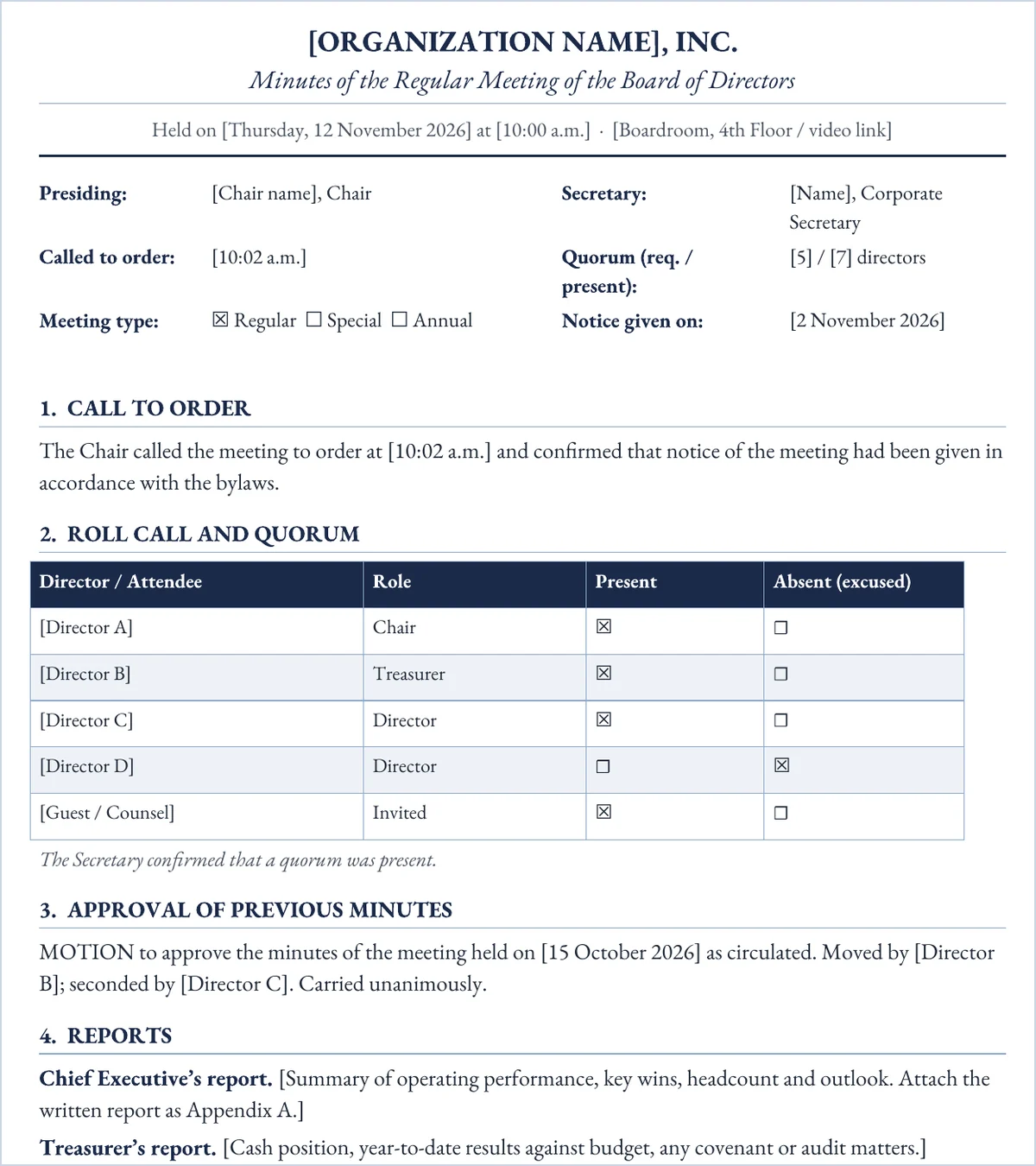
Formal board meeting minutes (Word)
A governance-style record for boards of directors, trustees and committees: quorum check, numbered resolutions with mover, seconder and vote count, officer reports, and signature lines for the secretary and chair.
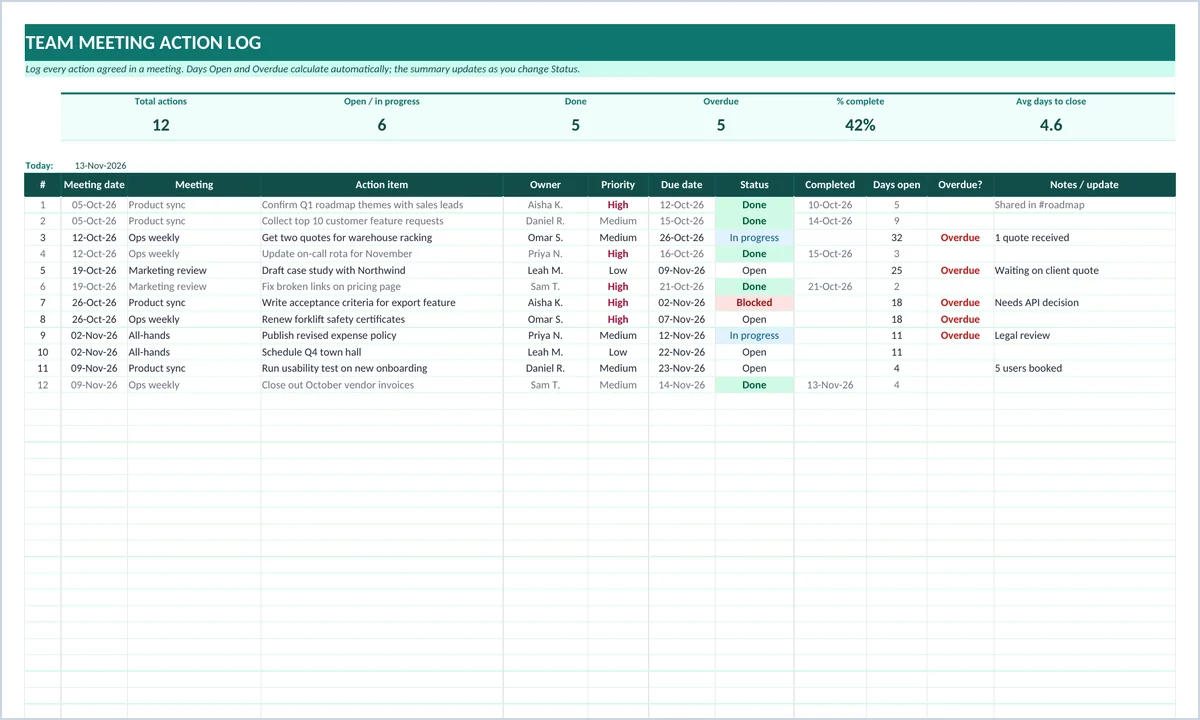
Team meeting action log (Excel)
Every action agreed in any meeting goes into one list. Days open, overdue flags, percent complete and a per-owner summary all calculate on their own, and status and priority are dropdowns.
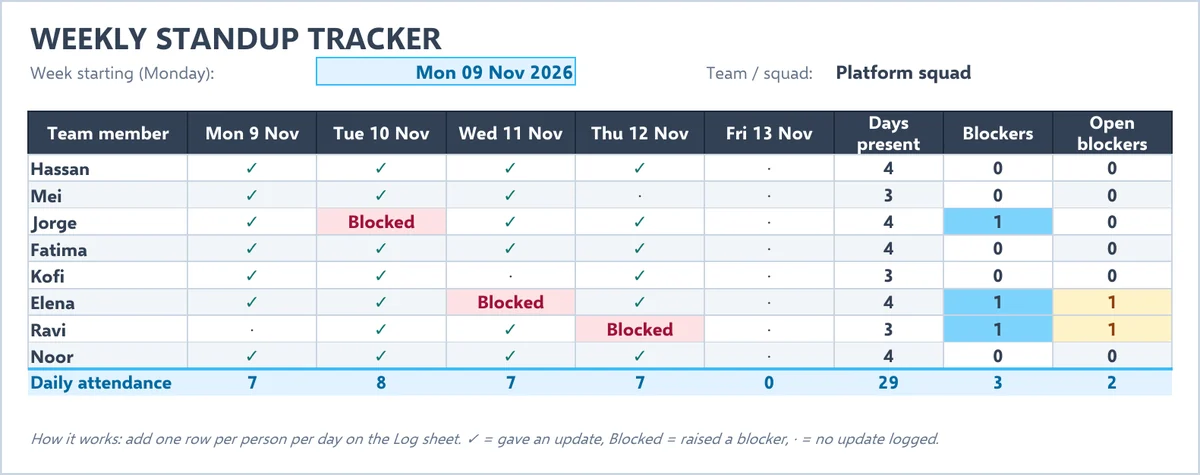
Weekly standup tracker (Excel)
Log each person’s yesterday / today / blocker update on the Log sheet; the Week Board turns it into a member-by-day grid that shows who checked in, who is blocked and which blockers are still open.
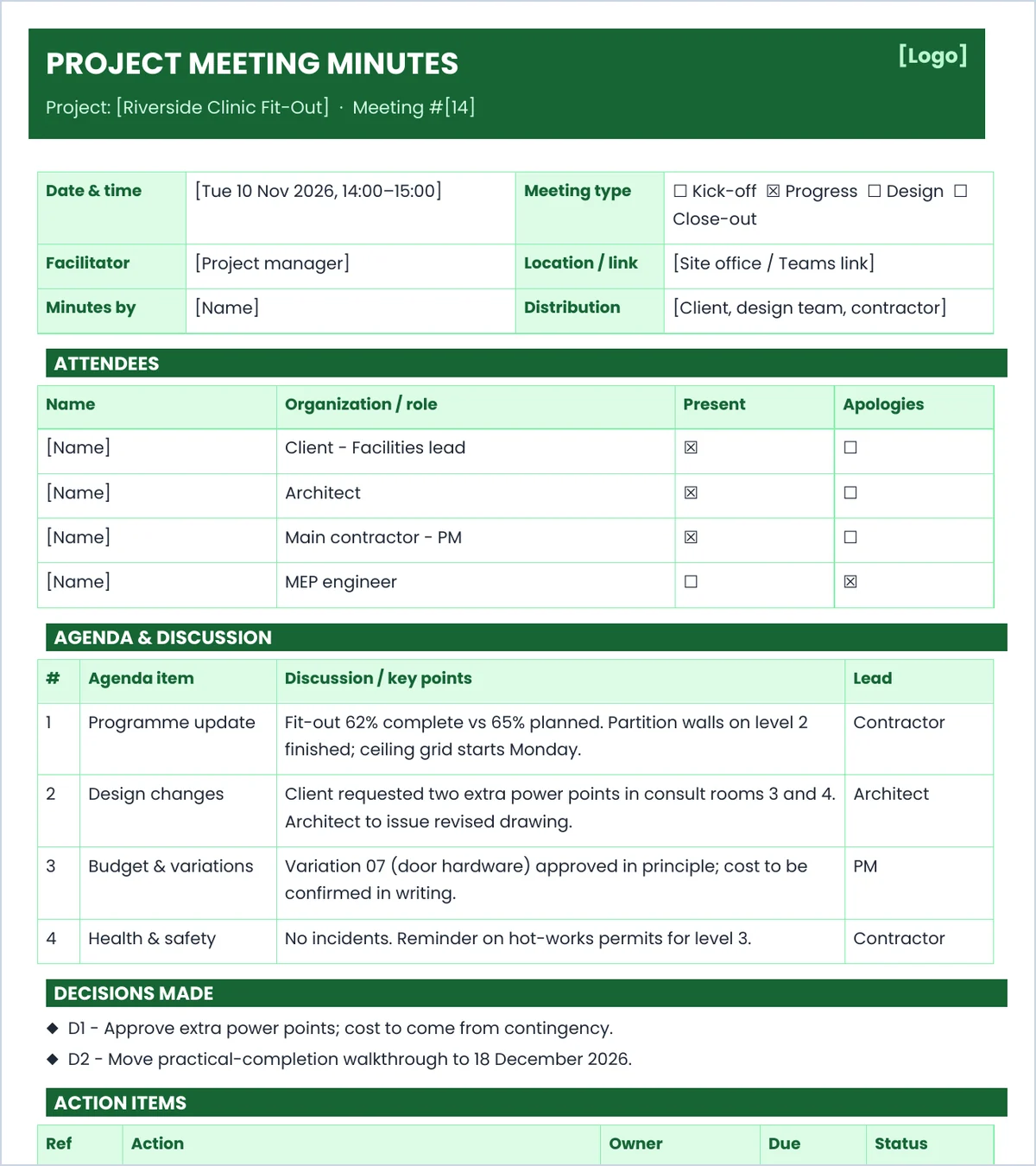
Project meeting minutes form (Word)
Built for recurring project and site meetings: attendees by organisation, agenda items with key points, a decisions list, a referenced action table that carries open items forward, and a risks / next-meeting strip.
One-page printable minutes (PDF)
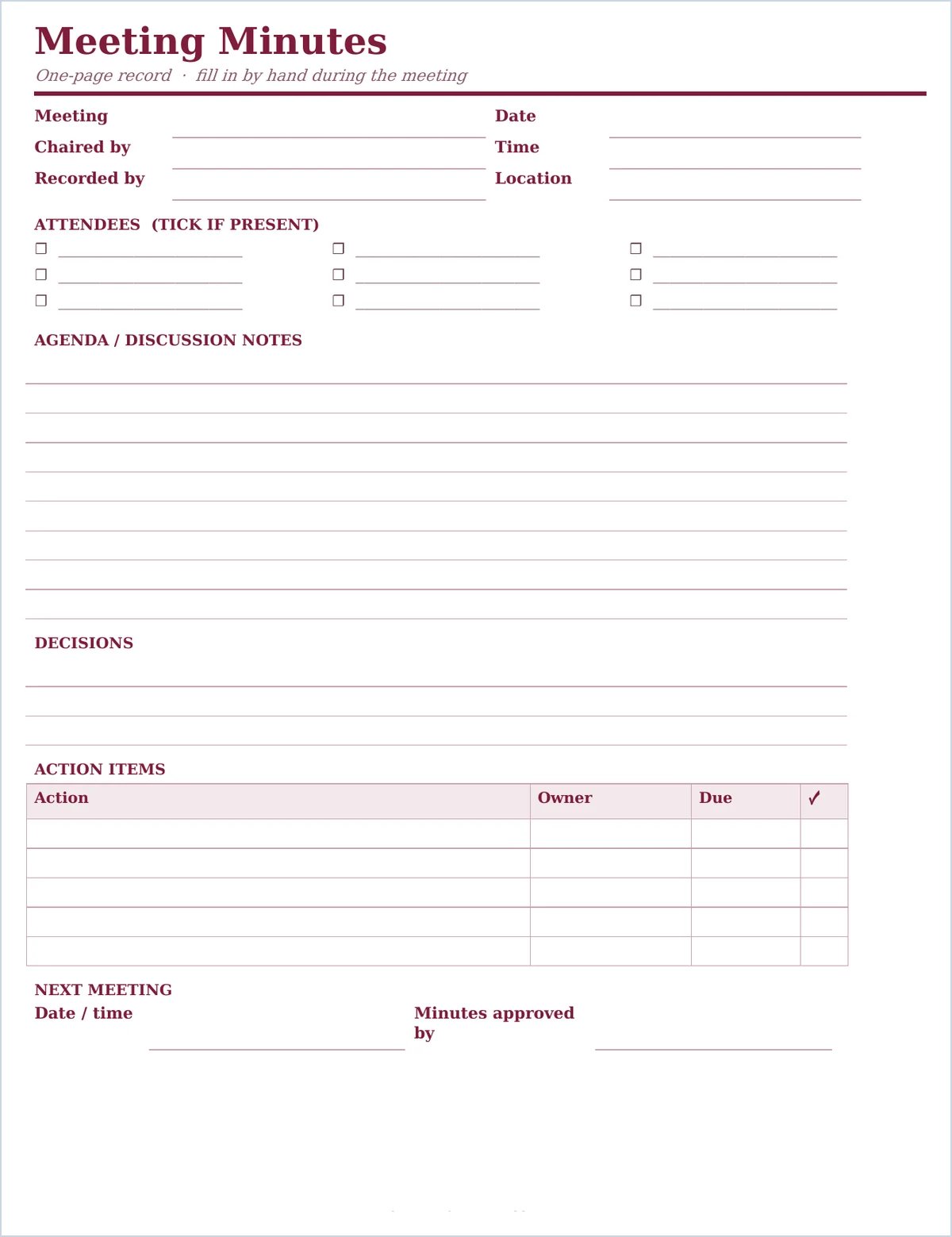
A clean single sheet for handwritten notes when a laptop isn’t practical: attendee tick boxes, ruled space for discussion and decisions, a five-line action table and a next-meeting line.
Meeting minutes FAQs
Who should take the minutes?
Ideally someone who isn’t chairing or presenting, such as a secretary, project coordinator or a rotating team member. It’s hard to run a discussion and record it accurately at the same time.
How detailed should meeting minutes be?
Detailed enough that someone who missed the meeting knows what was decided and what they need to do. For most meetings that means a short paragraph per agenda item, plus decisions and actions. Formal boards should also record motions and votes.
Do minutes have to be approved?
Formal minutes are usually approved at the next meeting, then signed by the chair and secretary. Informal team minutes don’t need approval, but it’s good practice to invite corrections within a set time after you send them.
Is it okay to record the meeting and skip minutes?
A recording helps whoever writes the minutes, but it doesn’t replace them. Nobody will watch a 60-minute recording to find one decision, and some organisations have retention or consent rules for recordings. Use the recording to check your notes, then write the summary.
How long should we keep meeting minutes?
Board and committee minutes are typically kept permanently as part of the organisation’s records. Routine team minutes can follow your normal document retention policy. Check any legal or regulatory requirements that apply to your sector.
Whichever template you choose, the habit matters more than the format: capture the decision, name the owner, set the date, and send the minutes the same day. If you also report on performance after the meeting, our KPI report template pairs well with the action log.

