

Your banking app shows a balance, so why would anyone still keep a check register? Because the app shows what the bank knows, not what you’ve committed. The check you mailed to the landlord yesterday, the automatic insurance payment due Friday and the deposit that’s on hold all exist before your bank catches up. A check register is where you see your real balance.
Below you’ll find a plain-English walk-through of how a check register works, a worked example, a simple way to balance it against your statement each month, and five free check register templates in Excel, Word and PDF. Some are for household checking, some for a small business account.
Why bother with a check register in 2026?
Fewer people write paper checks than they did ten years ago, but the problem a register solves hasn’t gone away. In fact, it’s bigger. Money now leaves your account through more channels: debit cards, ACH debits, peer-to-peer apps, subscriptions, and the occasional check for rent, a contractor or a tax payment. Each one clears on a different timetable.
A register gives you three things a bank balance can’t:
- Your available balance after commitments. If you’ve written checks that haven’t been cashed, the bank balance overstates what you can spend.
- A way to catch errors. Duplicate charges, wrong amounts and fees you didn’t expect stand out when you compare line by line.
- A paper trail. For a business, it’s the first record your bookkeeper or accountant will ask for when posting to the general ledger.
What each column in a check register means
| Column | What to write | Tip |
|---|---|---|
| Date | The day you wrote the check or made the payment | Use the date you spent it, not the date it cleared |
| Check # / code | Check number, or a code like DEP, ATM, DC, EFT | A missing number is the first sign of a lost check |
| Payee / description | Who you paid or where the money came from | Be specific – “Amazon” alone won’t help in six months |
| Payment (−) | Money leaving the account | Include fees on their own line |
| Deposit (+) | Money coming in | Record holds or pending deposits only when they post |
| ✓ Cleared | Tick when the item shows on your statement | Unticked items are your outstanding list |
| Balance | Previous balance − payments + deposits | The templates calculate this for you |
A worked example: one week in a register
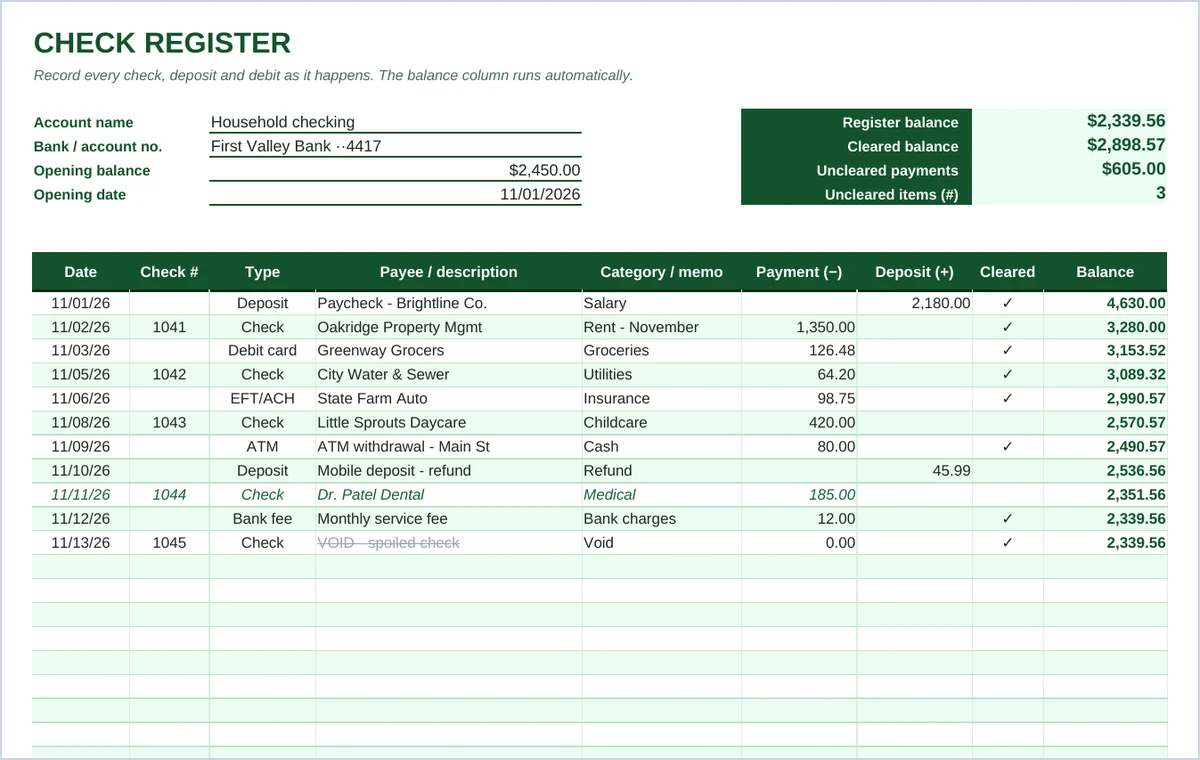
Here’s how a typical first week of November looks in the classic template. The opening balance is $2,450.00.
| Date | Check # | Description | Payment | Deposit | ✓ | Balance |
|---|---|---|---|---|---|---|
| 11/01 | Paycheck – Brightline Co. | 2,180.00 | ✓ | 4,630.00 | ||
| 11/02 | 1041 | Oakridge Property Mgmt – rent | 1,350.00 | ✓ | 3,280.00 | |
| 11/03 | DC | Greenway Grocers | 126.48 | ✓ | 3,153.52 | |
| 11/05 | 1042 | City Water & Sewer | 64.20 | ✓ | 3,089.32 | |
| 11/06 | EFT | State Farm Auto | 98.75 | ✓ | 2,990.57 | |
| 11/08 | 1043 | Little Sprouts Daycare | 420.00 | 2,570.57 |
If you only looked at the bank on 9 November, you’d see $2,990.57 and might spend money that’s already promised to the daycare. The register says $2,570.57, which is the number to trust.
How to balance your check register each month
Balancing, or reconciling, takes about fifteen minutes once your statement arrives. The monthly PDF in this pack has the steps printed at the bottom of the page.
- Tick everything that appears on the statement. Go down the statement line by line and mark each matching entry in your register as cleared.
- Add anything you missed. Bank fees, interest, automatic payments or card charges you forgot to record. Enter them in the register now.
- List what hasn’t cleared. Outstanding checks and payments, and deposits in transit.
- Do the math. Statement ending balance + deposits in transit − outstanding payments = adjusted bank balance.
- Compare. The adjusted bank balance should equal your register balance. If it does, you’re done.
If the two numbers don’t match, check these in order: a transposed amount (writing 64.20 as 46.20 creates a difference divisible by 9), a payment entered as a deposit (the difference will be exactly twice the amount), a missing fee, or a math slip in a hand-written register. For business accounts with lots of activity, a full bank reconciliation template gives you more structure.
Handling the awkward entries
Voided and spoiled checks
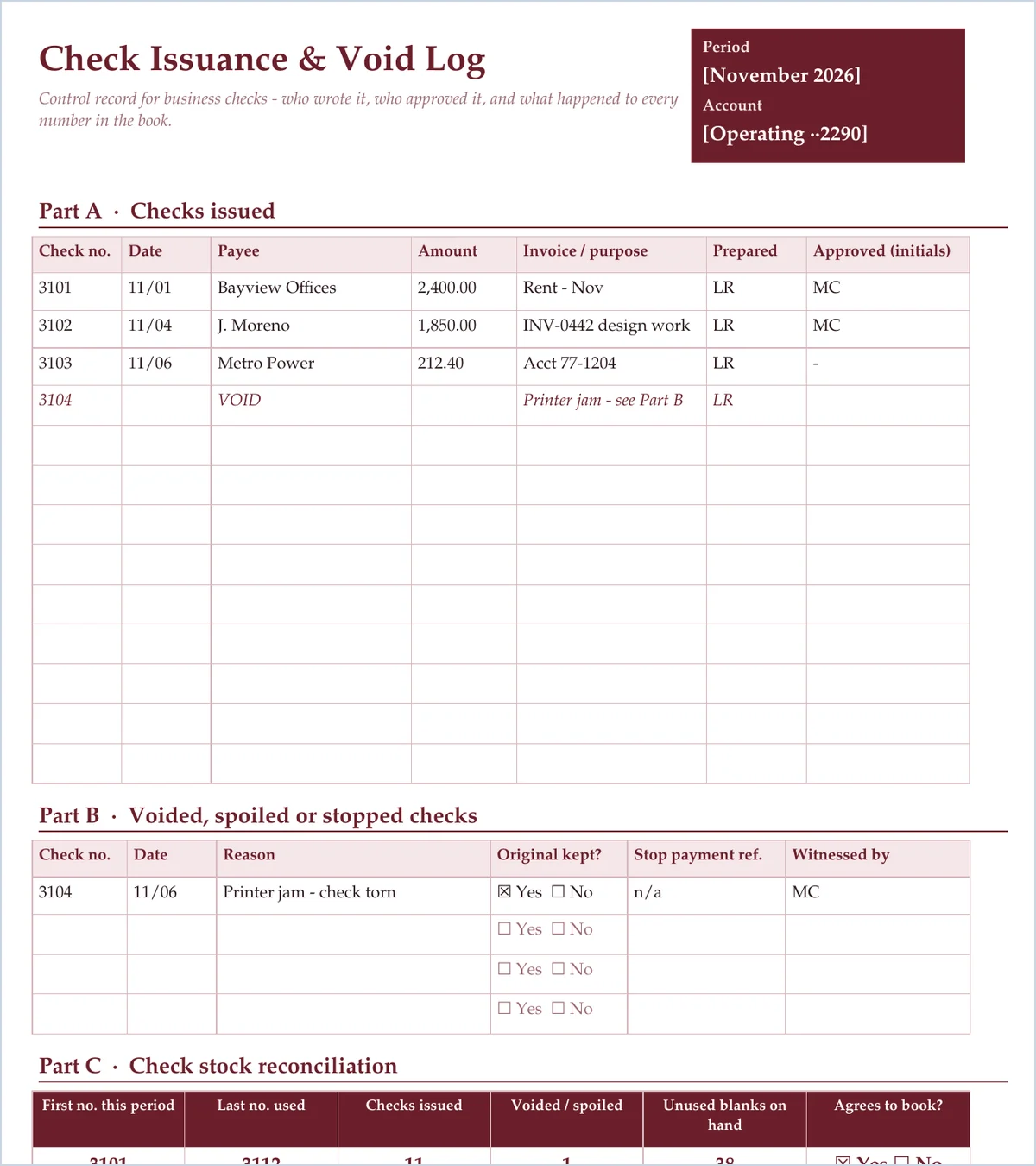
Never skip a check number. If you void one, write it in the register with a zero amount and the word VOID, and keep the physical check (or a photo of it). The classic template strikes through voided entries automatically when the description starts with “VOID”.
Automatic payments and subscriptions
Enter recurring payments in advance on the day they’re due, then tick them when they clear. This is where most people’s registers drift. A $14.99 subscription you forgot about is still $14.99 out of the account.
Returned deposits and stop payments
If a deposited check bounces, don’t delete the original deposit. Add a new payment line for the returned amount and any fee the bank charges, so the history makes sense later. For a stop-payment, record the stop fee and note the check number in the description.
Old checks that never get cashed
Banks may refuse to honour a personal or business check that’s more than six months old. Many treat these as stale-dated, although they’re allowed to pay them. If a check has been outstanding for months, contact the payee. A business may eventually have to report the money as unclaimed property, depending on state rules.
Personal vs business check registers
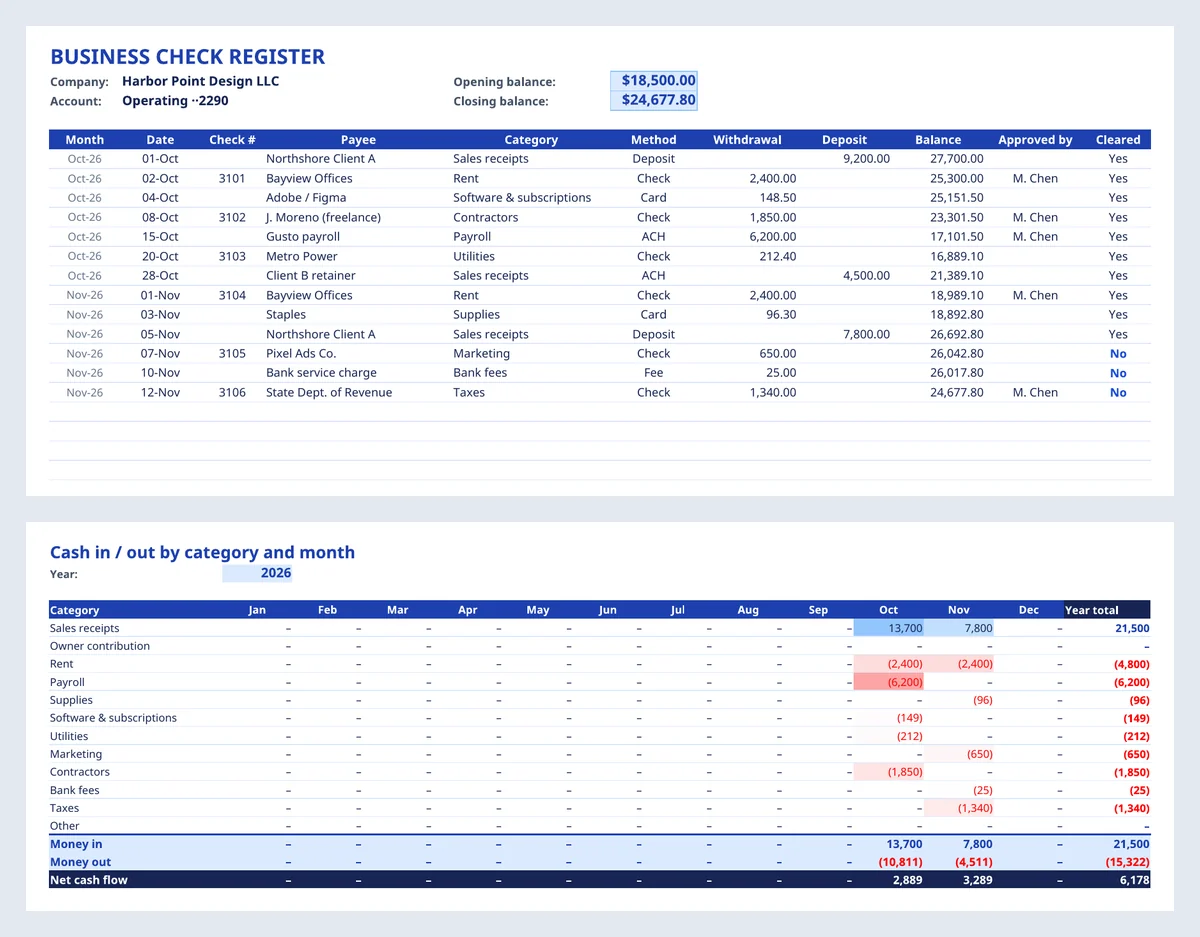
A household register only needs a running balance and a cleared column. A business register benefits from three extras. A category for each line makes month-end bookkeeping faster. An approval column shows that someone other than the person writing the check signed off on large payments. And a monthly summary shows where the cash actually went.
If your business also handles cash, keep cash separately. A petty cash log covers the small-change drawer, and a daily cash report covers the till. The check register should only show movements through the bank account.
Paper register, spreadsheet or app?
There’s no single right answer. The best register is the one you’ll actually keep up to date. Here’s how the options compare in practice:
| Option | Works well when | Watch out for |
|---|---|---|
| Paper booklet or printable sheet | You write a handful of checks a month and like a physical record next to the checkbook | Arithmetic slips; no automatic totals; harder to search later |
| Spreadsheet (Excel or Google Sheets) | You want automatic balances, categories and monthly totals without paying for software | You have to enter transactions yourself, so it only works if you keep the habit |
| Bank or budgeting app | Most of your spending is by card and you mainly want categorised history | Pending items and uncashed checks are easy to miss; categories may be wrong |
Plenty of people combine them. They jot checks in a printed register at the moment they write them, then copy everything into the spreadsheet once a week. That copying is a quick review in itself: you look at every line, and odd charges stand out. Small businesses often run the Excel register alongside their accounting software, because it gives the owner a quick, independent view of cash without logging in to the books.
Whichever route you choose, keep one rule: every transaction goes in the register before you trust the balance. The day you skip a few entries “to catch up later” is the day the register stops being useful.
Small habits that protect your account
- Record the payment the moment you write the check or tap the card, not later from memory.
- Write checks in permanent ink and draw a line through any unused space on the amount line.
- Keep blank check stock locked away and check the numbering when a new box arrives.
- For a business, separate duties: the person who writes checks shouldn’t be the only one who reconciles them.
- Review the register weekly, even if you only reconcile monthly. Five minutes a week beats an hour of detective work.
Download the 5 free check register templates
All five check register templates are free and editable. The Excel files have running-balance formulas, dropdowns for transaction type and category, and print-ready page setup. Pick the one that fits how you bank.
Classic check register with running balance (Excel)
The everyday register: date, check number, type, payee, payment, deposit and a cleared column. The balance runs automatically, and a summary box shows your register balance, cleared balance and what’s still outstanding.
Business check register with monthly summary (Excel)
For a small business account: each payment gets a category, a payment method and an approver, and large unapproved withdrawals are highlighted. A second sheet totals money in and out by category for every month of the year.
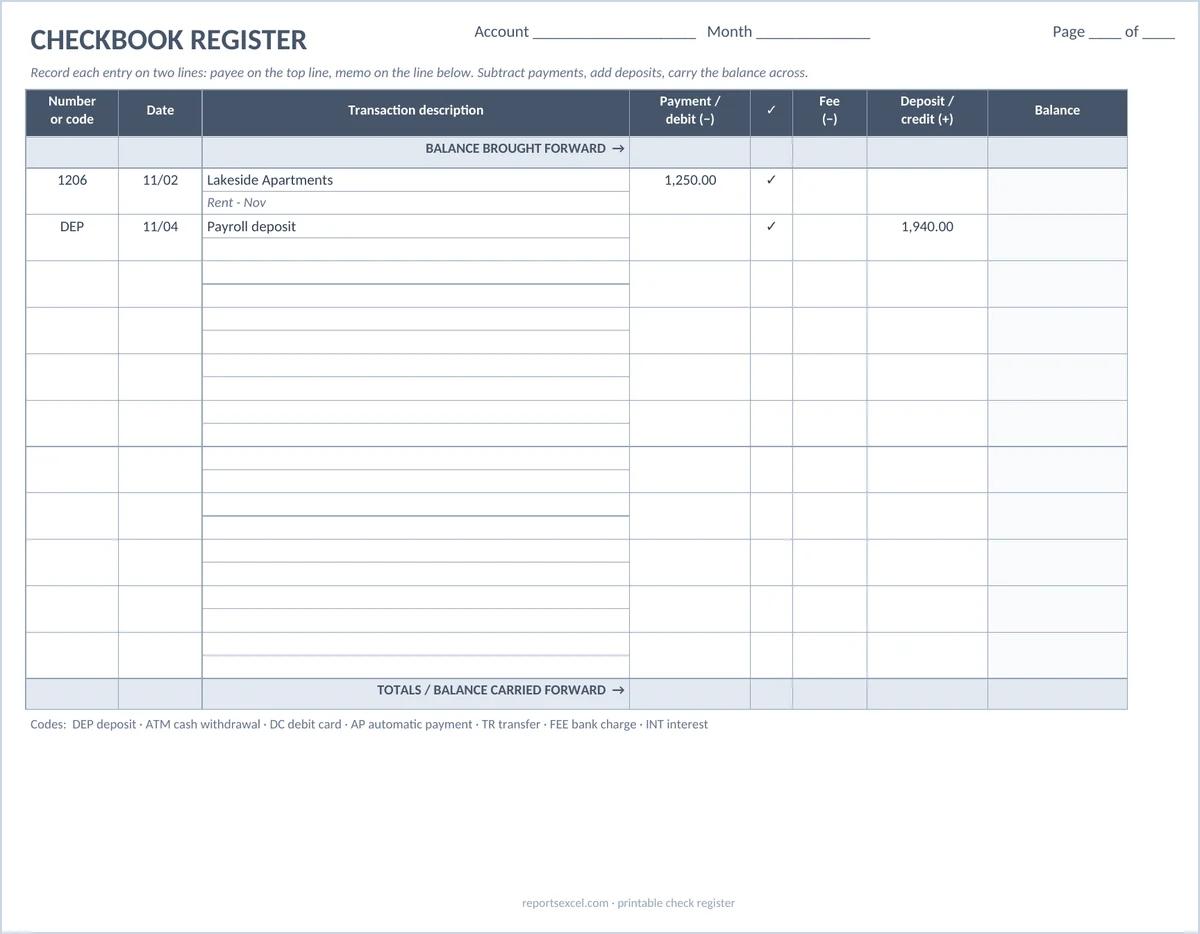
Printable checkbook register (Word)
The traditional two-line checkbook layout, with payee on the top line and memo below, plus fee and checkmark columns and balance brought forward and carried forward rows. Print it, or edit the headings first.
Check issuance & void log (Word)
A control document for businesses that write paper checks: who prepared and approved each check, a separate section for voided or stopped checks, and a check-stock reconciliation so no number goes missing.
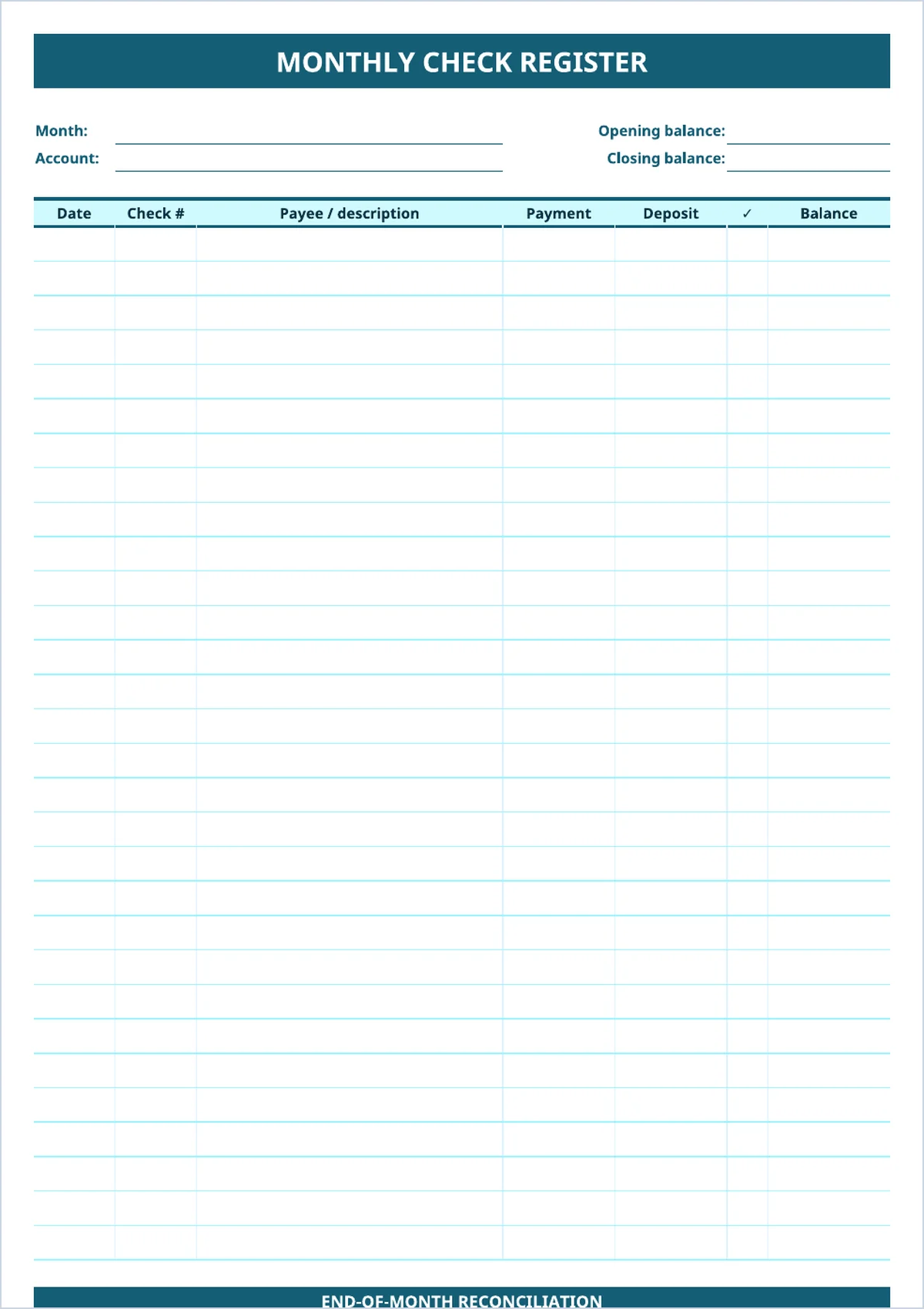
Monthly register & reconciliation sheet (PDF)
One page per month: thirty transaction lines, then a short reconciliation block at the bottom that walks you from the bank statement balance to your register balance.
Check register questions people ask
Is a check register the same as a checkbook?
Not quite. The checkbook holds the checks themselves. The register is the log that comes with it, sometimes as a small booklet, where you record every check, deposit and withdrawal and keep a running balance.
Do I need to record debit card purchases in a check register?
Yes, if you want an accurate balance. A register tracks the whole checking account, not just paper checks. Debit card purchases, ATM withdrawals, transfers and automatic payments all reduce the same balance.
How often should I balance my check register?
At least once a month when your statement arrives. If your account is busy or your balance runs close to zero, a quick weekly comparison with your online banking will catch problems sooner.
Can I use a check register template in Google Sheets?
Yes. Upload the .xlsx file to Google Drive and open it with Google Sheets. The running balance, dropdowns and conditional formatting carry over. Some print settings may need adjusting.
What should a business do with a voided check?
Record it in the register and the check log with a zero amount, write VOID across the check, and keep it with your records. Auditors and bookkeepers expect every number in the sequence to be accounted for.